Back up your Apple Vision Pro
Skip this step if you already have iCloud Backup enabled for Vision Pro.
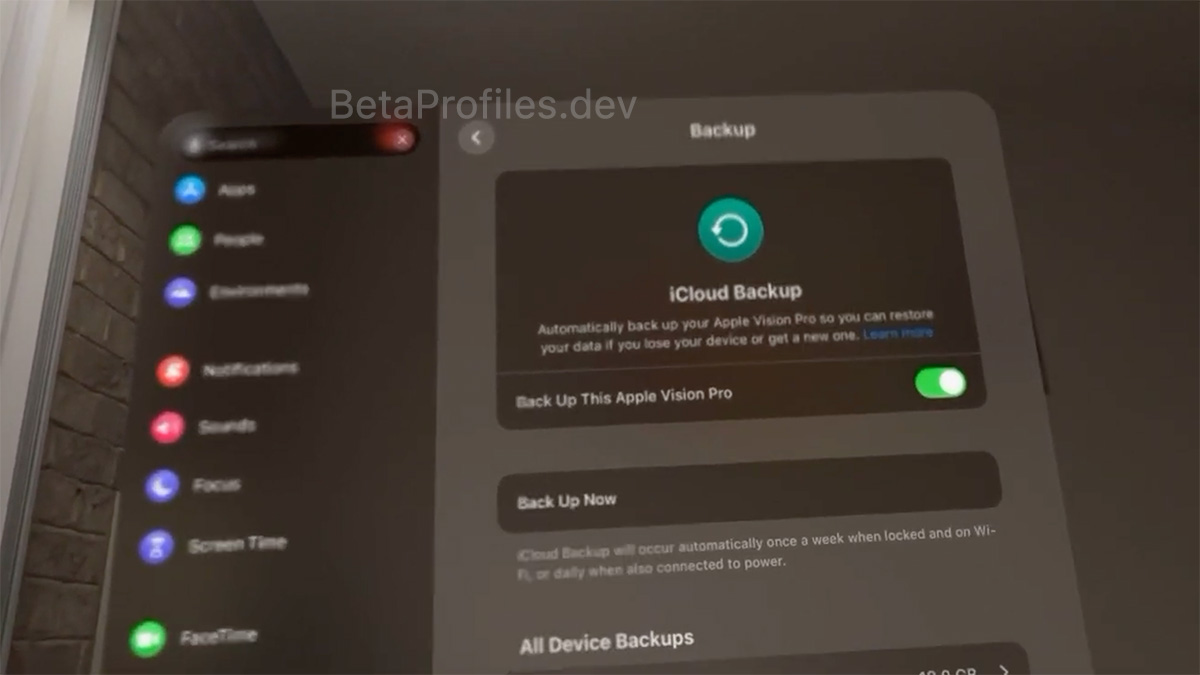
Make sure you have an iCloud backup for your Apple Vision Pro. To check, go to Settings > [your name] > iCloud > iCloud Backup and ensure that iCloud Backup is turned on.
To perform a manual backup, tap Back Up Now.
Sign in to Apple Developer Program
Skip this step if you have previously joined the Apple Developer Program with your Apple ID.
Go to Developer.apple.com/account, log in with your Apple Account. Then agree to the terms and conditions and move on to the next step.
Learn how to join the Apple Beta Software Program →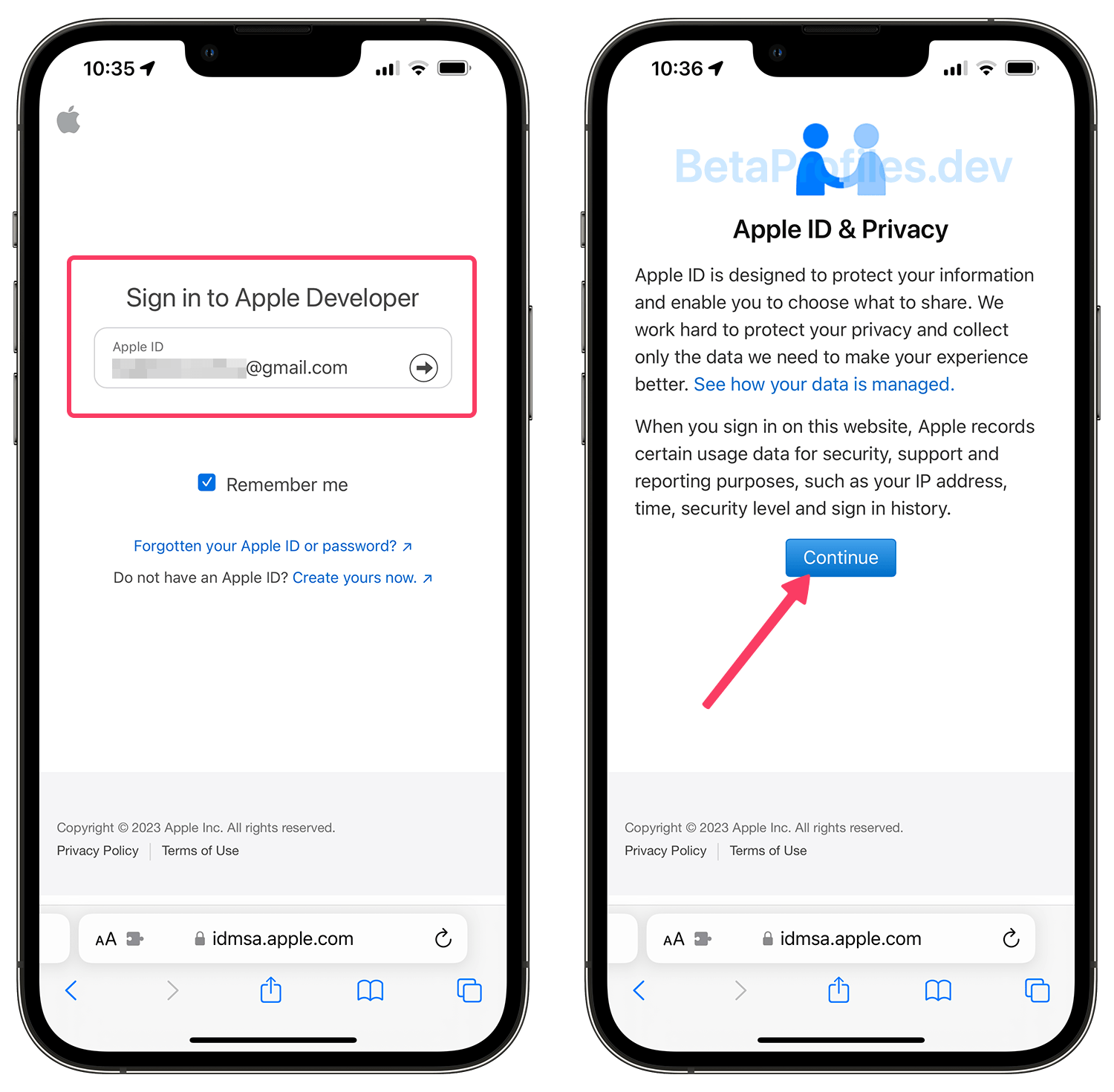
Turn on beta updates
For devices running visionOS 1.0 or later, go to Settings > General > Software Update > Beta Updates and choose the "visionOS 2 Developer Beta".
Update your Apple Vision Pro
You can install the visionOS beta from Settings - General - Software Update.
Make sure your Apple Vision Pro's battery has enough charge. You can select "Update Tonight" to let Vision Pro update while it’s locked and has enough battery charge.
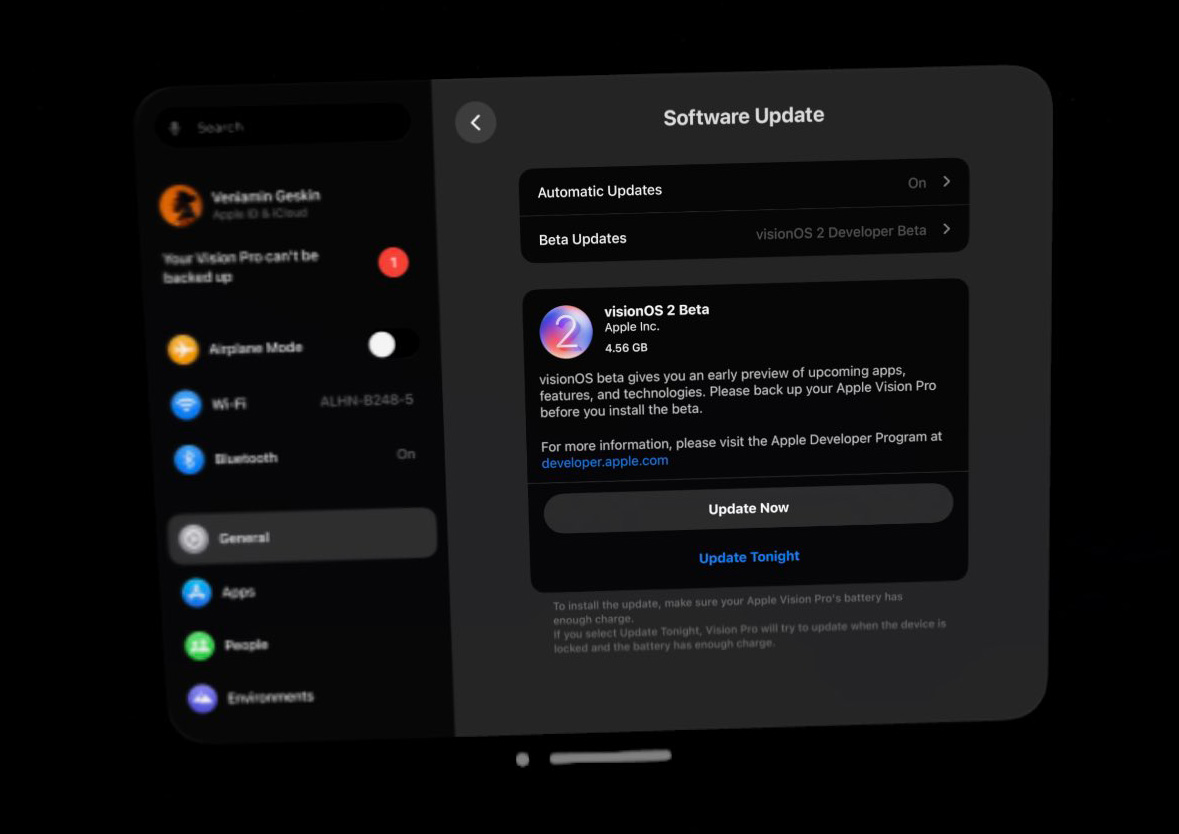
You can always switch to the "Off" option in the Beta Updates to stop receiving future visionOS 2 beta updates.
Vision Pro can be downgraded to a previous stable version of visionOS, but you need to purchase the Vision Pro Developer Strap for $299 from Apple (available only for developers and in countries where Vision Pro is sold) to connect it to your Mac. Detailed steps are available on the Restore page.
Need Help?
Share this page