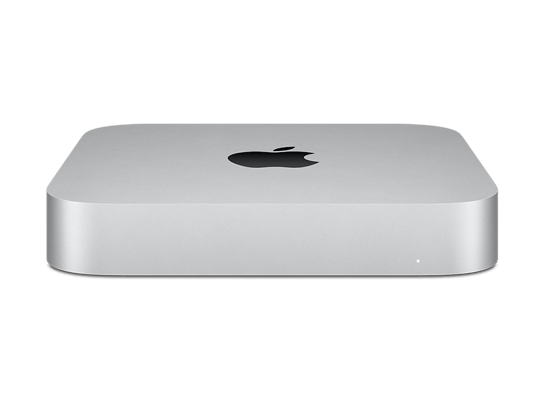
Developer Transition Kit

Download Developer Transition Kit IPSW

Official macOS firmware for Developer Transition Kit, served directly from Apple. 24 IPSW files are listed below, including developer betas and release candidates.
  • Identifier ADP3,1, ADP3,2
  • Chip A12Z
  • Model A2330
  • Released 2020

Latest firmware

macOS 11

24 builds
VersionBuildReleasedSizeStatusDownload
macOS 11.2.3ADP3,1 20D91 13.71 GB Unsigned IPSW
macOS 11.2.2ADP3,1 20D80 13.70 GB Unsigned IPSW
macOS 11.3 beta 2BetaADP3,1 20E5186d 13.94 GB Unsigned IPSW
macOS 11.2.1ADP3,1 20D74 13.70 GB Unsigned IPSW
macOS 11.3 betaBetaADP3,1 20E5172i 13.87 GB Unsigned IPSW
macOS 11.2 RC 3RCADP3,1 20D64 13.70 GB Unsigned IPSW
macOS 11.2 RC 2RCADP3,1 20D62 13.70 GB Unsigned IPSW
macOS 11.2 RCRCADP3,1 20D53 13.70 GB Unsigned IPSW
macOS 11.2 beta 2BetaADP3,1 20D5042d 13.70 GB Unsigned IPSW
macOS 11.2 betaBetaADP3,1 20D5029f 13.70 GB Unsigned IPSW
macOS 11.1 RCRCADP3,1 20C69 13.90 GB Unsigned IPSW
macOS 11.1 beta 2BetaADP3,1 20C5061b 13.68 GB Unsigned IPSW
macOS 11.0.1ADP3,1 20B29 13.61 GB Unsigned IPSW
macOS 11.1 betaBetaADP3,1 20C5048k 13.68 GB Unsigned IPSW
macOS 11.0.1 RC 2RCADP3,1 20B28 13.65 GB Unsigned IPSW
macOS 11.0.1 RCRCADP3,1 20B5022a 13.48 GB Unsigned IPSW
macOS 11.0.1 betaBetaADP3,1 20B5012d 13.67 GB Unsigned IPSW
macOS 11.0 beta 10BetaADP3,2 20A5395g 13.90 GB Unsigned IPSW
macOS 11.0 beta 9BetaADP3,2 20A5384c 13.69 GB Unsigned IPSW
macOS 11.0 beta 8BetaADP3,2 20A5374i 13.74 GB Unsigned IPSW
macOS 11.0 beta 7BetaADP3,2 20A5374g 13.75 GB Unsigned IPSW
macOS 11.0 beta 6BetaADP3,2 20A5364e 13.42 GB Unsigned IPSW
macOS 11.0 beta 5BetaADP3,2 20A5354i 13.40 GB Unsigned IPSW
macOS 11.0 beta 4BetaADP3,2 20A5343i 13.42 GB Unsigned IPSW

No firmware matches these filters.

How to install macOS on Developer Transition Kit with an IPSW file

A Mac with Apple silicon is restored from a second Mac. Put the Mac you want to restore into DFU mode, connect both computers with a USB C cable, open Apple Configurator, then drag the downloaded IPSW file onto the device icon. The Mac will be erased and the selected macOS version installed.

Only firmware marked as Signed can be installed today. To leave a beta and return to the public release, restore the latest signed release build listed above.

Other Mac models

Data from AppleDB, last updated .