
Enroll your iPhone or iPad
Your iPhone or iPad will need to be running the iOS 18.6 beta or iPadOS 18.6 beta.
Turn on Beta Updates
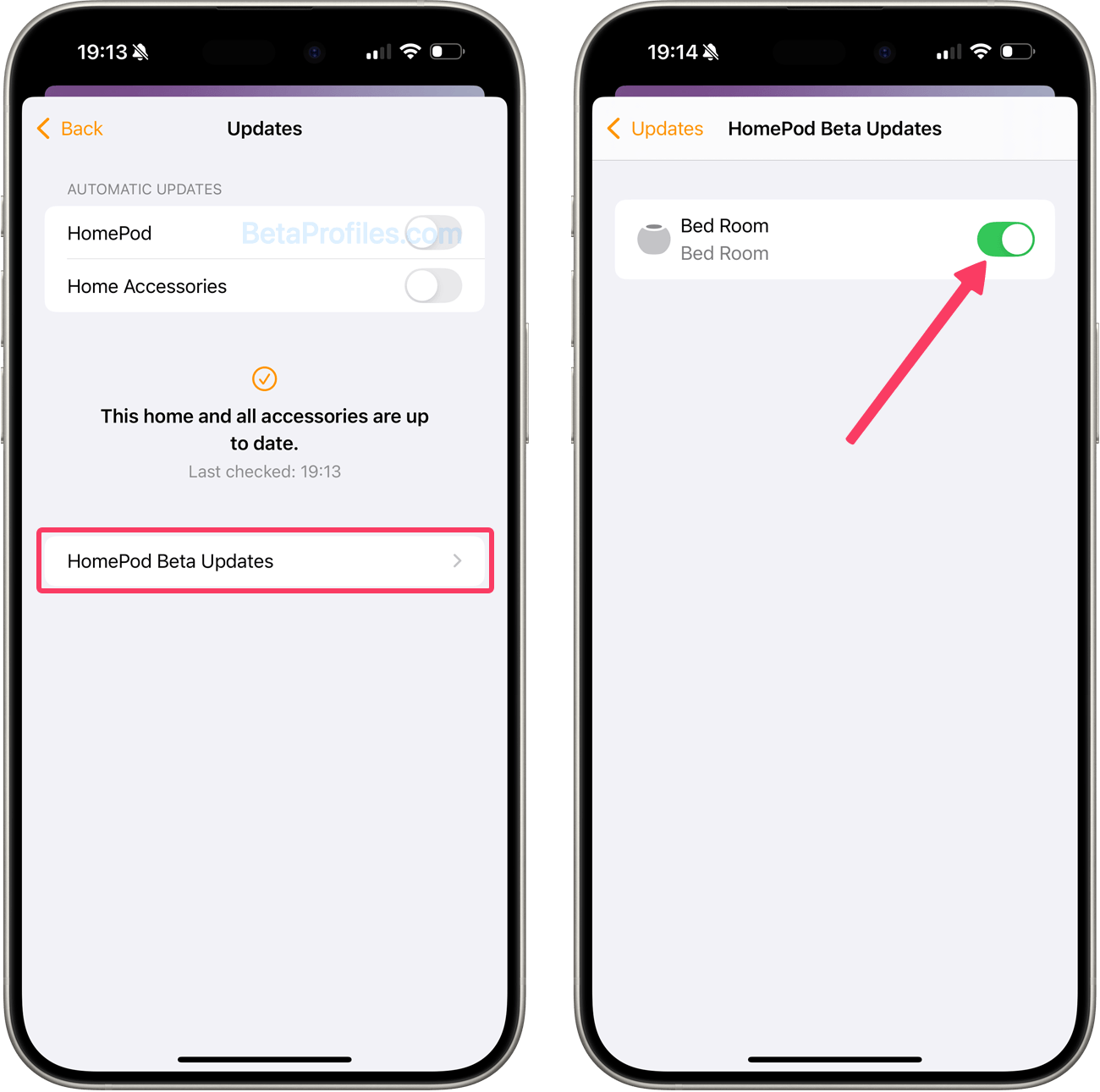
From a device running iOS 18.6 or iPadOS 18.6, go to the Home app > Home Settings > Software Update > HomePod Beta Updates and enroll the HomePod you want on the Beta program.
Update your HomePod speaker
Your HomePod will automatically receive the latest beta software if you have Automatically Update turned on in the Software Updates settings. To manually check for updates, go to Home app > Home Settings > Software Update.
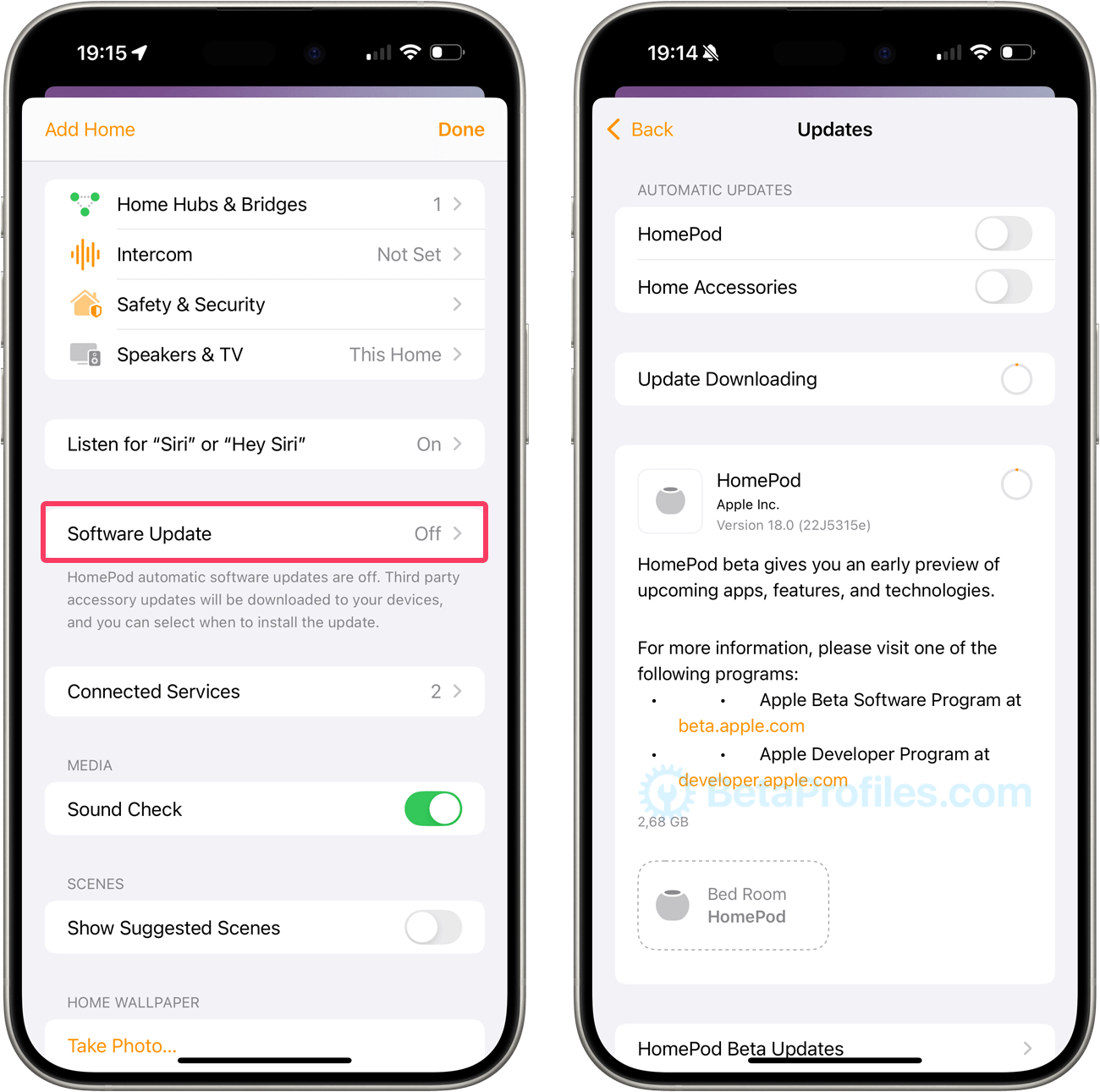
You can always turn off your HomePod in the Home app > Home Settings > Software Update > HomePod Beta Updates to stop receiving Beta software updates for HomePod.
Note that HomePod cannot be downgraded to a previous software version, so once your HomePod stops receiving beta software updates, it will continue running the beta software until an official software version is released. At that point, you can update it in the Home app > Home Settings > Software Update.
Provide Feedback
In order to submit HomePod feedback, you will need the Feedback Assistant app, which you can access from a beta version of iOS, iPadOS or macOS device.
You can launch Feedback Assistant from the second page of your Home screen on the iOS and iPadOS beta and from the Dock on the macOS beta.
Need Help?
Share this page