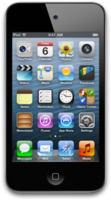
iPod touch (4th generation)

Download iPod touch (4th generation) IPSW

Official iOS firmware for iPod touch (4th generation), served directly from Apple. 21 IPSW files are listed below, including developer betas and release candidates.
  • Identifier iPod4,1
  • Chip A4
  • Model A1367
  • Released 2010

Latest firmware

iOS 6

7 builds
VersionBuildReleasedSizeStatusDownload
iOS 6.1.6 10B500 889 MB Signed IPSW
iOS 6.1.5 10B400 889 MB Unsigned IPSW
iOS 6.1.3 10B329 889 MB Unsigned IPSW
iOS 6.1.2 10B146 889 MB Unsigned IPSW
iOS 6.1 10B144 889 MB Unsigned IPSW
iOS 6.0.1 10A523 881 MB Unsigned IPSW
iOS 6.0 GMRC 10A403 881 MB Unsigned IPSW

iOS 5

4 builds
VersionBuildReleasedSizeStatusDownload
iOS 5.1.1 9B206 786 MB Unsigned IPSW
iOS 5.1 9B176 786 MB Unsigned IPSW
iOS 5.0.1 9A405 816 MB Unsigned IPSW
iOS 5.0 GMRC 9A334 799 MB Unsigned IPSW

iOS 4

10 builds
VersionBuildReleasedSizeStatusDownload
iOS 4.3.5 8L1 682 MB Unsigned IPSW
iOS 4.3.4 8K2 682 MB Unsigned IPSW
iOS 4.3.3 8J2 682 MB Unsigned IPSW
iOS 4.3.2 8H7 682 MB Unsigned IPSW
iOS 4.3.1 8G4 682 MB Unsigned IPSW
iOS 4.3 GMRC 8F190 685 MB Unsigned IPSW
iOS 4.2.1 GMRC 8C148 638 MB Unsigned IPSW
iOS 4.1 8B118 608 MB Unsigned IPSW
iOS 4.1 GMRC 8B117 608 MB Unsigned IPSW
iOS 4.2 8C134 638 MB Unsigned IPSW

No firmware matches these filters.

How to install iOS on iPod touch (4th generation) with an IPSW file

Back up your iPod touch (4th generation) first. Connect it to a computer, open Finder on macOS or iTunes on Windows, then hold Option (Mac) or Shift (Windows) while you click Restore and pick the IPSW file. Your device will be erased and the selected version installed. Follow our restore guide for every step.

Only firmware marked as Signed can be installed today. To leave a beta and return to the public release, restore the latest signed release build listed above.

Other iPod touch models

Data from AppleDB, last updated .